Feeds
misp-workbench supports four feed source formats. Each feed is fetched either on demand or on a configurable schedule (hourly, daily, weekly). Feeds can be sourced either from a remote URL or from a file uploaded directly to misp-workbench.
| Format | Description |
|---|---|
| MISP | Full MISP feed — events with attributes, objects, tags, and galaxies |
| CSV | Delimited text file — one indicator per row, configurable column mapping |
| JSON | JSON array, object, or NDJSON — dot-notation field mapping |
| Freetext | Plain text — one indicator per line, type auto-detected or fixed |
Common settings
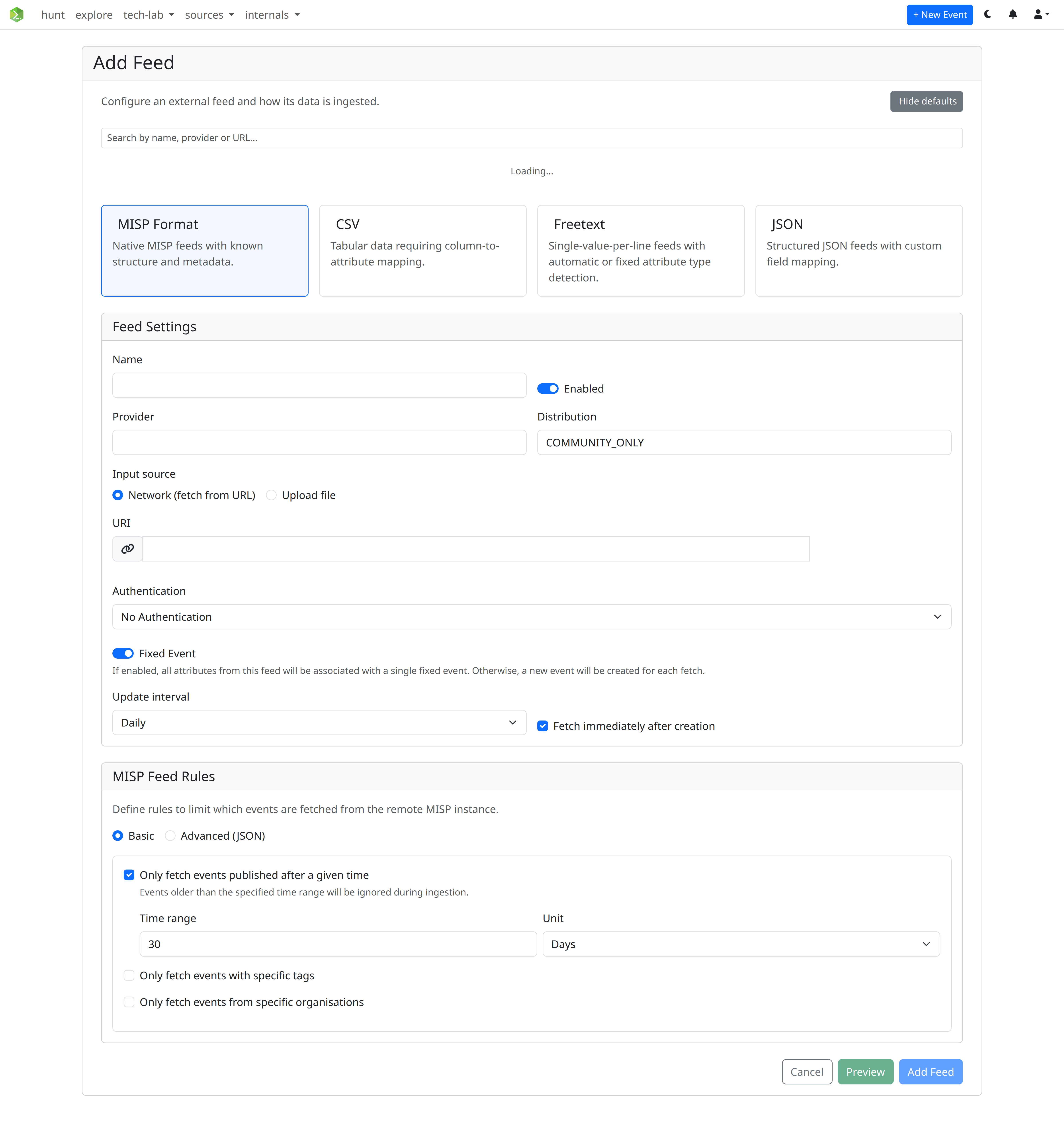
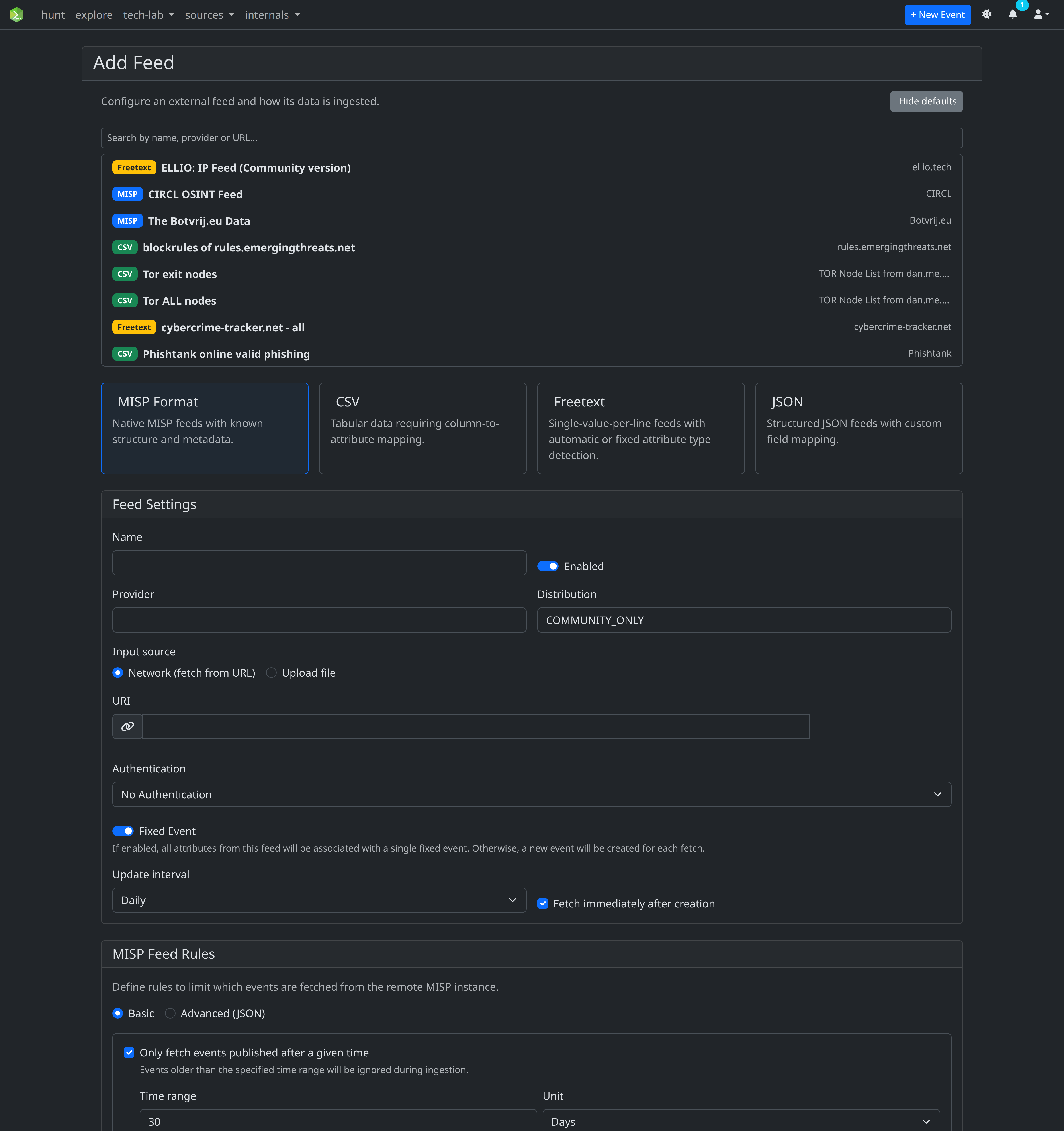
All feed types share a set of base settings:
| Field | Description |
|---|---|
| Name | Display name for the feed |
| Provider | Organisation or source name |
| Input source | Network (fetch from URL) or Upload file — see Local File Feeds |
| URL | Remote URL of the feed (network mode only) |
| Distribution | MISP distribution level for ingested attributes |
| Enabled | Whether the feed is active |
| Fixed Event | If on, all fetches append to a single event; if off, a new event is created per fetch |
| Update interval | Automatic fetch schedule (hourly / daily / weekly / disabled) — hidden in upload mode |
| Fetch immediately | Enqueue an immediate fetch when the feed is created — hidden in upload mode |
Default feed list
A curated list of well-known public feeds is bundled at api/app/defaults/default-feeds.json. When adding a feed, click Select from defaults to browse and auto-populate the form.
Scheduled tasks
Each feed with an update interval creates a RedBeat scheduled task in Redis. Scheduled tasks can be viewed and managed in the Tasks section of the UI or directly in Flower at http://localhost:5555.
Deleting a feed also deletes all its associated scheduled tasks.