Notebooks
Tech Lab Notebooks are interactive, jupyter-style analyst notebooks running inside misp-workbench. They give analysts a Python notebook surface with a pre-imported SDK (mwctipy, exposed as the bound instance mwlab) that provides typed access to events, attributes, objects, correlations, sightings, and enrichment modules — everything the Reactor ctx exposes for reads, plus search helpers tailored to interactive use.
Where Reactor Scripts are push-triggered automation (something happens → a script fires), Notebooks are the pull side: an analyst sitting in front of the data and exploring it interactively.
Where to find it
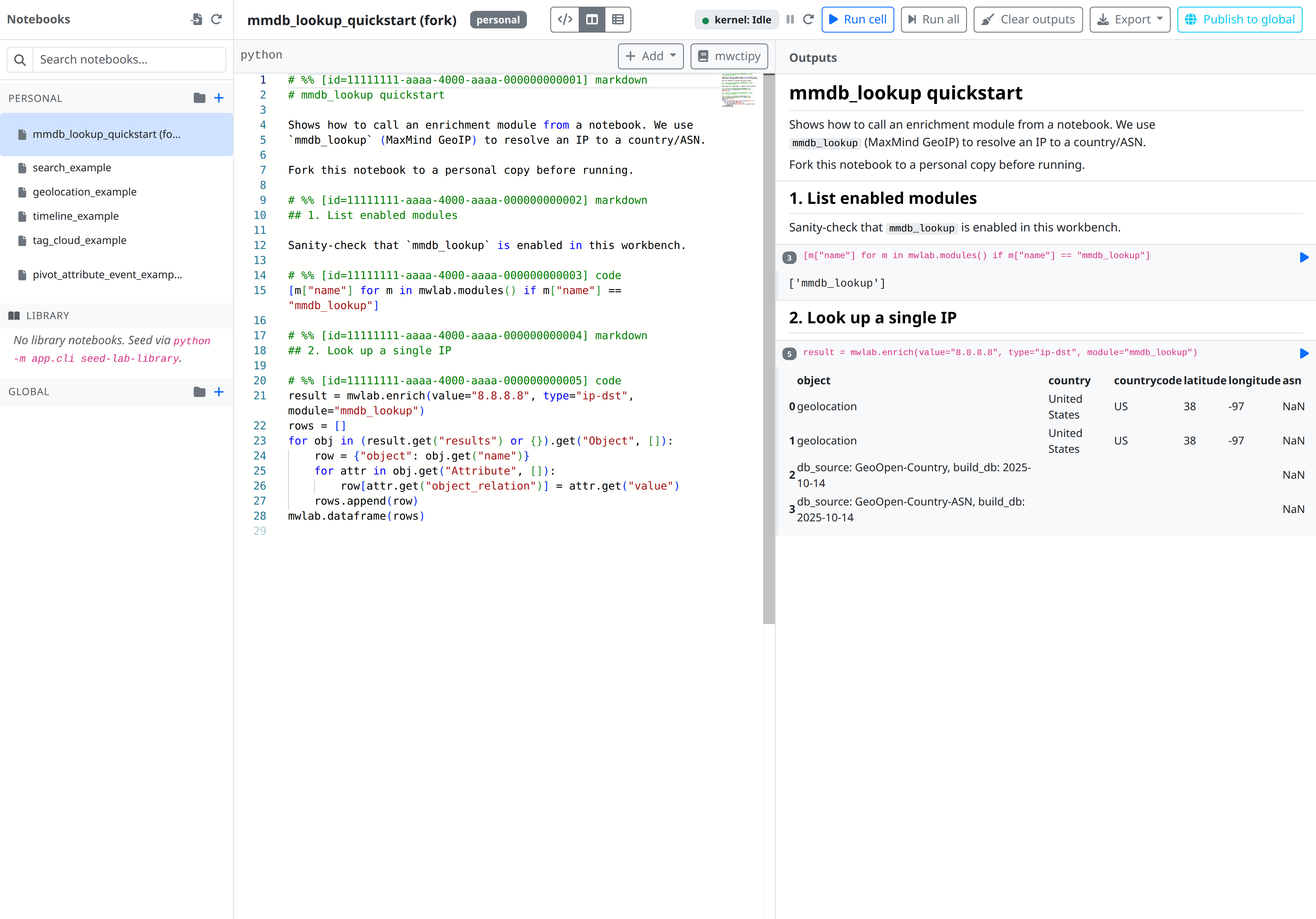
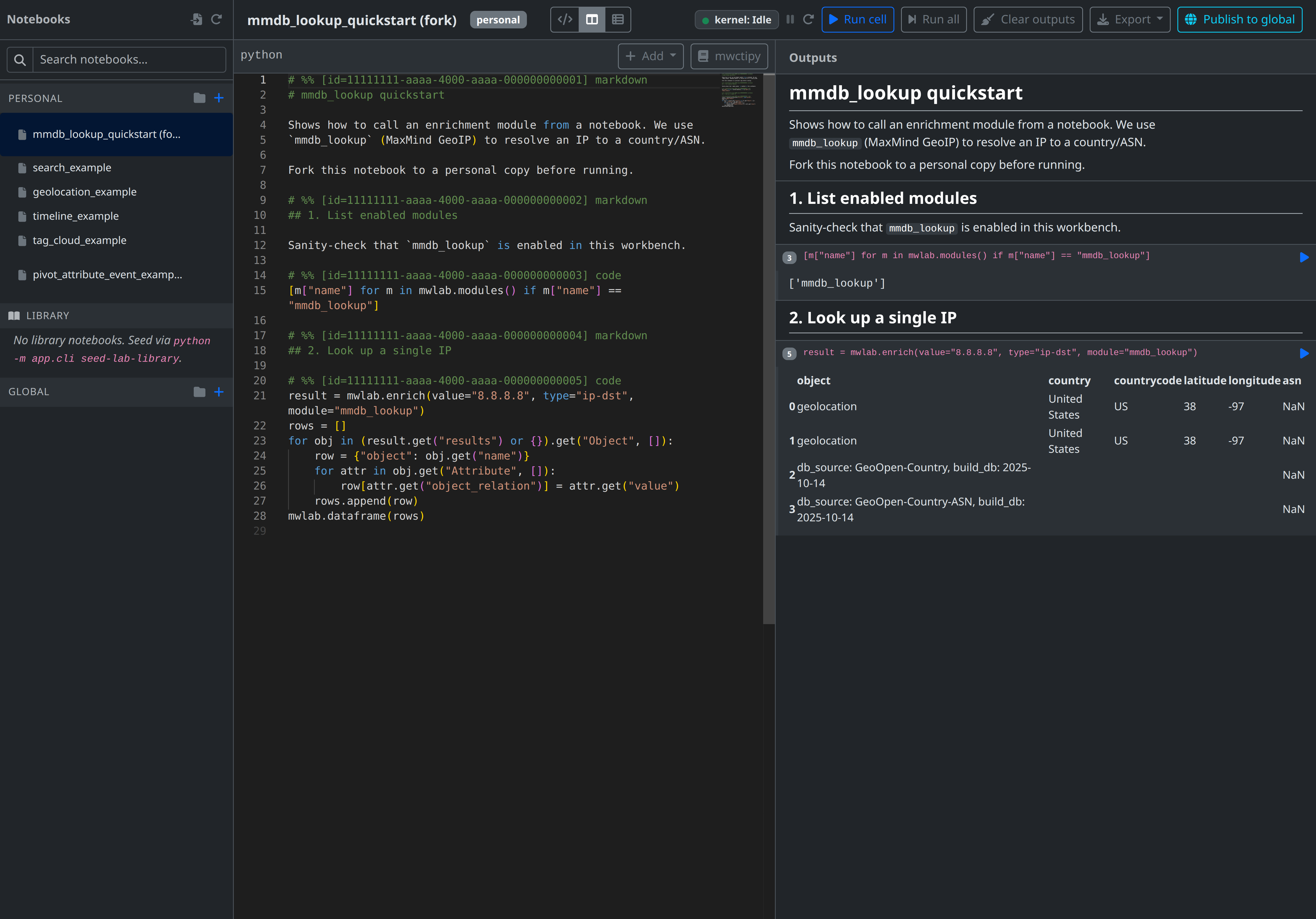
The tech-lab → notebooks view in the UI shows a two-panel layout: a file tree on the left (folders + notebooks, scoped Personal / Global) and a Monaco editor on the right rendering the active notebook as one scrolling document with # %% cell delimiters and inline outputs.
Concepts
Notebook
A notebook is a single document edited as plain text with # %% [id=<uuid>] code|markdown cell delimiters. The full source lives in one TEXT column; cell boundaries are reconstructed on the fly. Outputs from the most recent execution are stored separately so they don't pollute the editable source.
Kernel
Each (user_id, notebook_id) pair gets its own long-lived ipykernel subprocess managed by the lab-worker container. Variables, imports, and state persist across cell executions until the kernel is interrupted, restarted, or idle-evicted (default: 30 minutes of inactivity, tunable via LAB_KERNEL_IDLE_SECONDS).
When the worker process restarts, all kernels are lost. The next cell execution starts a fresh kernel transparently.
Visibility & ownership
Every folder and notebook carries a visibility of either personal or global:
| Visibility | Who sees it | Who can edit/delete | Who can run |
|---|---|---|---|
personal |
Only the owner | Only the owner | Only the owner |
global |
Anyone with lab:read |
Only the owner | Anyone with lab:run |
Global notebooks are owner-edit only. Non-owners see a read-only editor with a Fork to personal action that duplicates the source + outputs into a new personal notebook owned by the current user.
Folders are fixed to a single visibility at creation; notebooks inside must match. Personal and Global are sibling top-level groups — items don't move between scopes, you fork to copy across.
Isolation
The kernel runs inside the dedicated lab-worker container with mem_limit=512m and pids_limit=256. Unlike Reactor's restricted __builtins__, notebooks deliberately use the full Python builtins set — analysts need import pandas, dict comprehensions, and the rest of normal Python. The container is the security boundary; the SDK exposes only read methods in MVP.
Audit log
Every mwlab.enrich(...) call records an audit row under the notebook owner's identity with actor_type=lab_notebook and actor_credential_id=<notebook_id>. This lets admins trace any third-party API call back to the notebook that triggered it.
The mwlab instance
mwlab is pre-bound in every notebook kernel — no import needed. It is a MwLab instance scoped to the current (user_id, notebook_id).
Single-record reads
| Method | Returns |
|---|---|
mwlab.get_event(event_uuid) |
dict \| None — the event document |
mwlab.get_attribute(attribute_uuid) |
dict \| None |
mwlab.get_object(object_uuid) |
dict \| None |
Search
| Method | Description |
|---|---|
mwlab.search_events(query=None, tags=None, size=50) |
OpenSearch query. query matches against event info; tags is an AND-list of tag names. Returns a list of dicts. |
mwlab.search_attributes(value=None, type=None, size=50) |
Exact-match on type, free-text match on value. |
Modules and enrichment
| Method | Description |
|---|---|
mwlab.modules(enabled_only=True) |
List available misp-modules with their input/output types. |
mwlab.enrich(value, type, module, config=None) |
Run a module against one indicator. Audited under actor_type=lab_notebook. Returns the module's raw response dict. |
Convenience
| Method | Description |
|---|---|
mwlab.dataframe(rows) |
Wrap a list of dicts in a pandas.DataFrame. |
The render module
render is imported at kernel startup alongside mwlab. It returns raw HTML strings — wrap them in IPython.display.HTML(...) to render in a cell output.
| Function | Description |
|---|---|
render.timeline(events) |
One line per event, sorted by date desc. |
render.tag_cloud(items) |
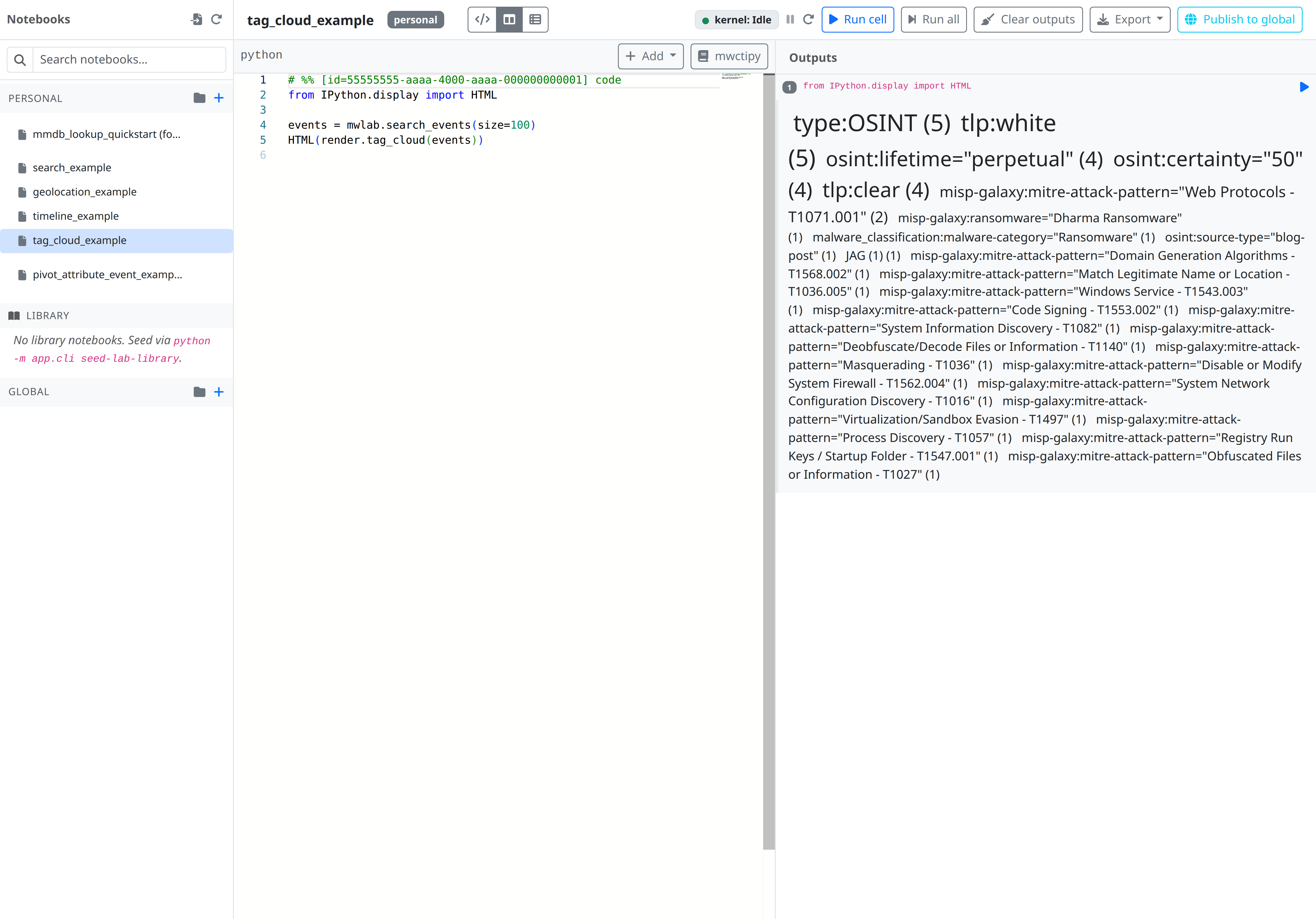
Tag frequency cloud sized by occurrence count. |
For real charts, import matplotlib or import altair directly — they ship in the lab-worker image.
Cell format
Notebooks are stored as a single text document with cell delimiters:
# %% [id=8b7e2c1a-...] code
ev = mwlab.search_events(tags=["tlp:white"], size=3)
mwlab.dataframe(ev)

# %% [id=f0a91d4b-...] markdown
## Notes
This is rendered as Markdown.

# %% [id=c2d3e4f5-...] code
from IPython.display import HTML
HTML(render.timeline(ev))
Missing cell IDs are auto-generated on first save. Missing types default to code. The editor maintains stable IDs across saves so re-running a specific cell after edits works as expected.
Run gating
While a cell is executing, the Run button is disabled and Run all is hidden. ipykernel serialises requests internally, but the UI gate keeps users from accidentally piling up queued cells.
Run all
Run all parses the notebook source into ordered code cells and chains them server-side as a single Celery chain on the lab_kernel queue. The chain halts on the first error — failed cells don't cascade execution into subsequent ones.
Outputs
Cell outputs are rendered in a Monaco view zone directly under the cell:
| MIME type | Rendered as |
|---|---|
text/plain, stream |
<pre> |
text/html |
sanitised v-html |
image/png, image/jpeg |
inline <img> (base64) |
application/json |
pretty-printed |
error |
red traceback <pre> |
For the owner, outputs persist into cell_outputs on the notebook row and are restored on reload. For non-owners running a global notebook, outputs live only in the execution rows for that session — they are not written back to the shared notebook.
Forking
Open any global notebook you don't own and click Fork to personal. A new notebook is created under your Personal tree with:
- the same source + cell outputs as the original;
- regenerated cell IDs (so the original and fork can be open simultaneously without execution conflicts);
- name
"<original name> (fork)"; folder_id = NULL(lands at the Personal root — move it after).
Import / export
The Export button is a dropdown offering two mutually exclusive formats:
| Action | Format |
|---|---|
| Export → Jupyter (.ipynb) | Downloads the notebook as a nbformat-compliant .ipynb so it opens in stock JupyterLab. |
| Export → PDF (rendered) | Opens a print view of the rendered notebook — markdown cells and cell outputs exactly as shown in the Outputs panel — and hands it to the browser's print dialog, where you choose Save as PDF. Uses the current (including unsaved) editor source, so it reflects the latest edits. Allow pop-ups for the workbench origin, as the print view opens in a new tab. |
| Import | Upload an .ipynb; the server normalises it into the delimiter-source shape and creates a personal notebook. |
The PDF mirrors the same rendering rules as the Outputs panel (see Outputs): markdown is rendered, code cells appear with their output and execution timing, and images are embedded inline. Code cells with no output are omitted, matching the panel.
Examples
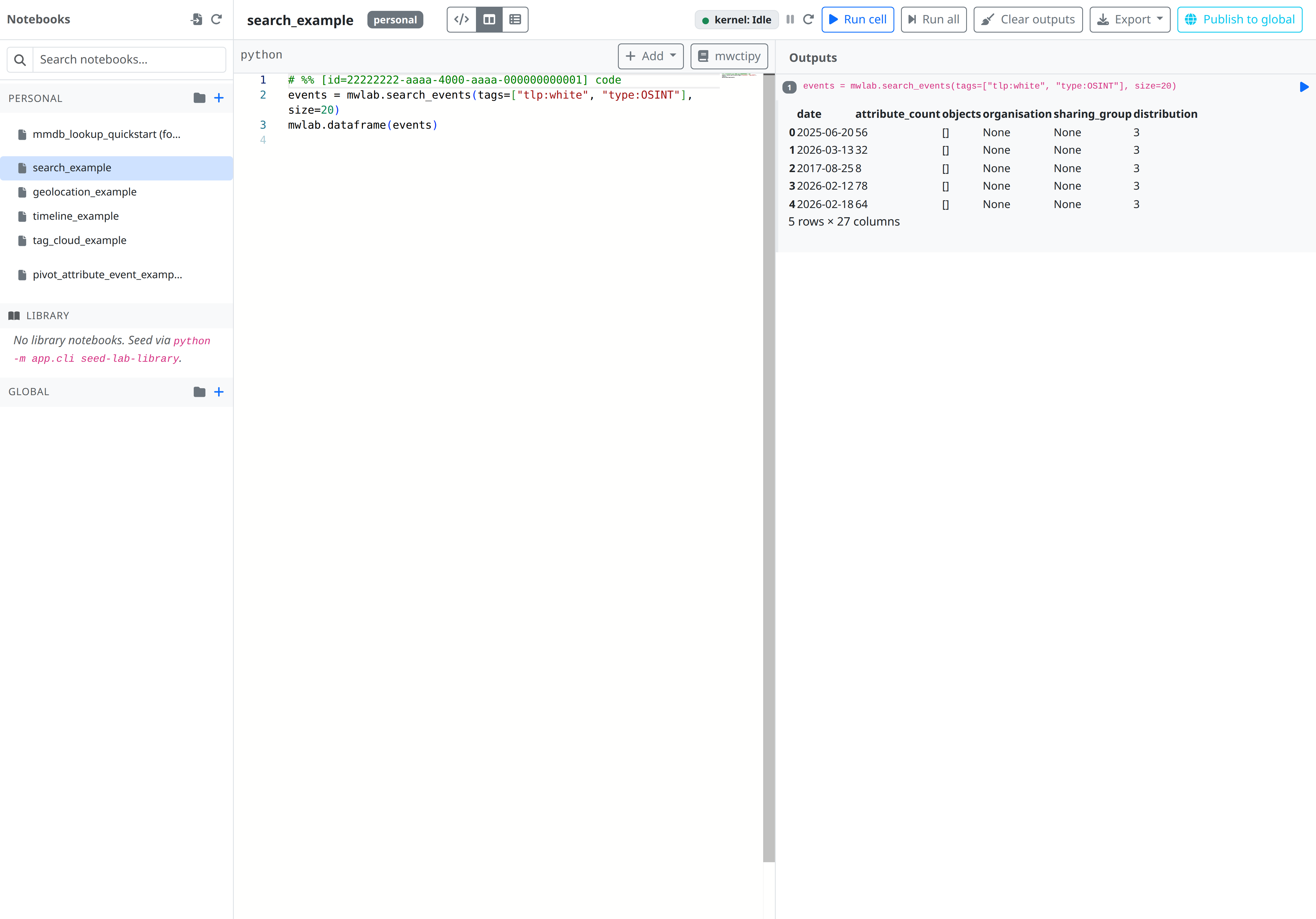
Find recent IOCs by tag
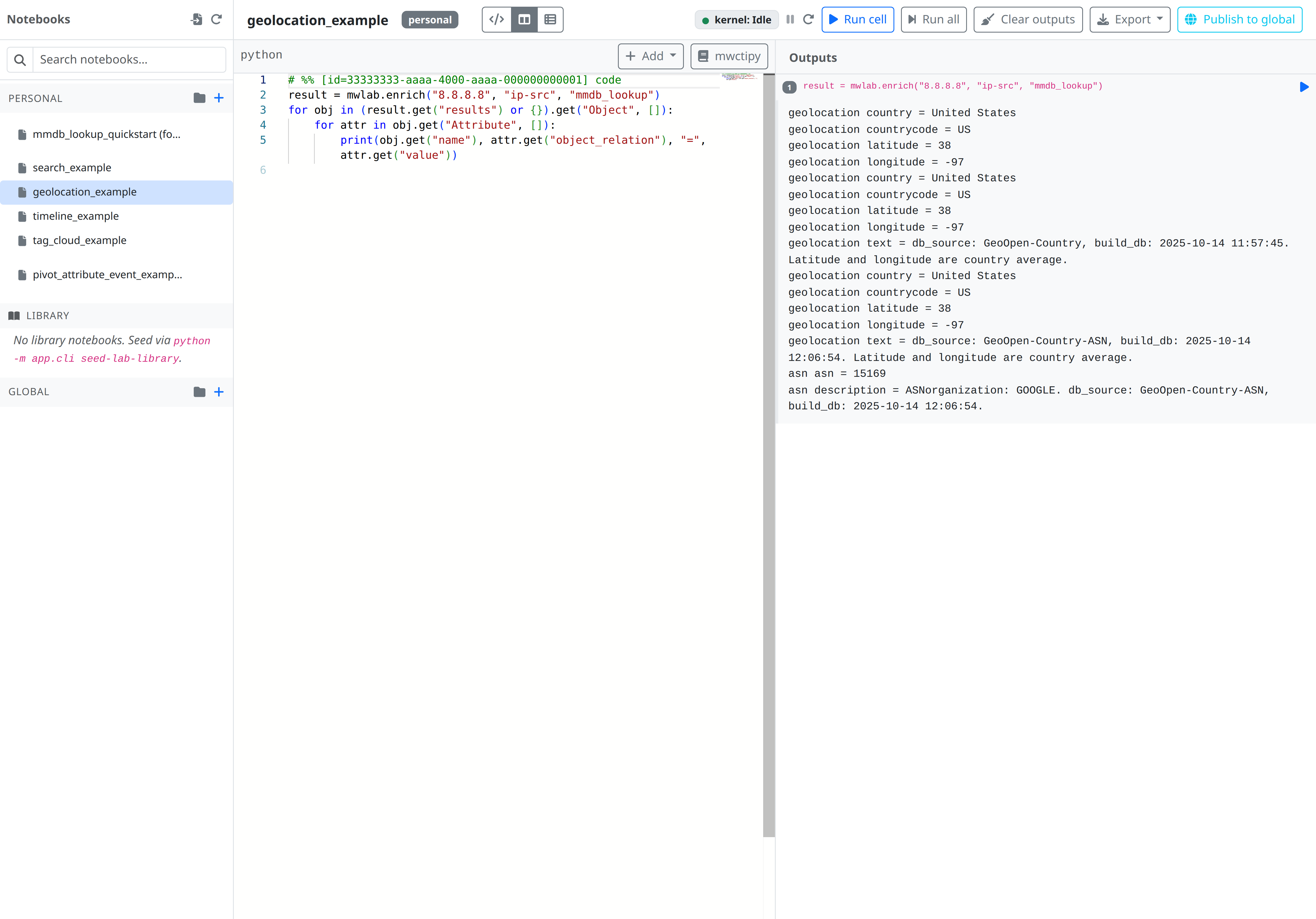
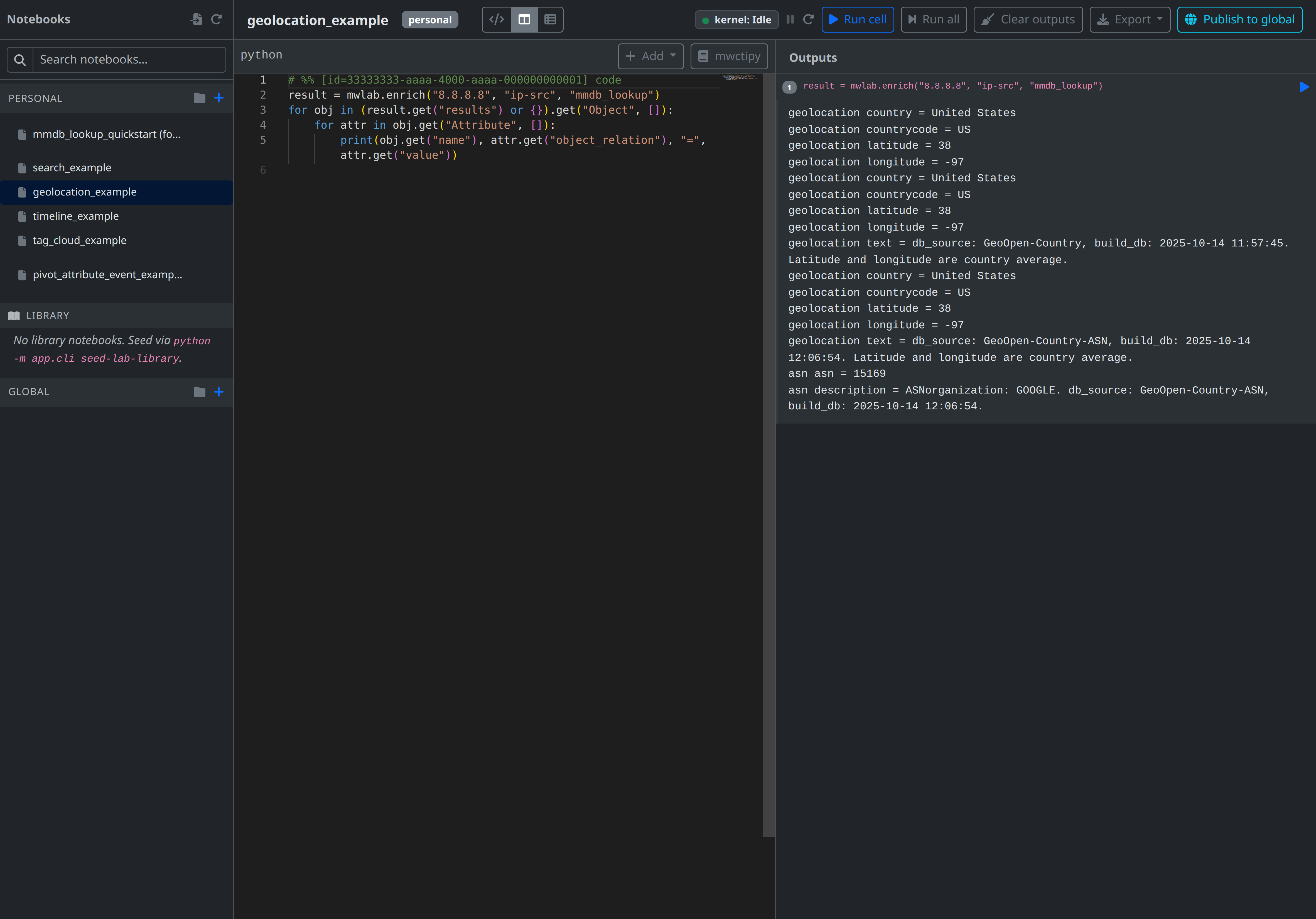
Geolocate an IP
result = mwlab.enrich("8.8.8.8", "ip-src", "mmdb_lookup")
for obj in (result.get("results") or {}).get("Object", []):
    for attr in obj.get("Attribute", []):
        print(obj.get("name"), attr.get("object_relation"), "=", attr.get("value"))
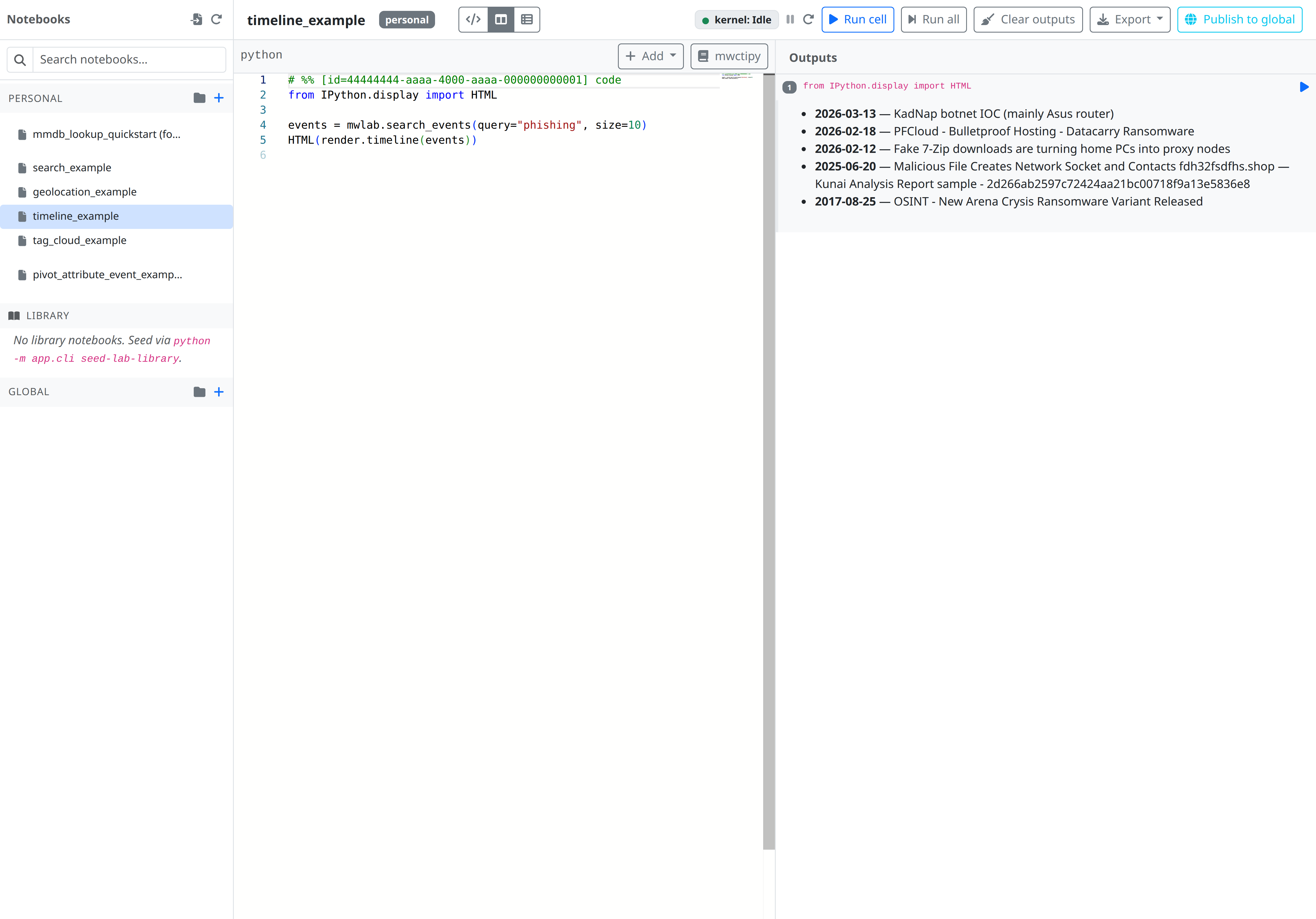
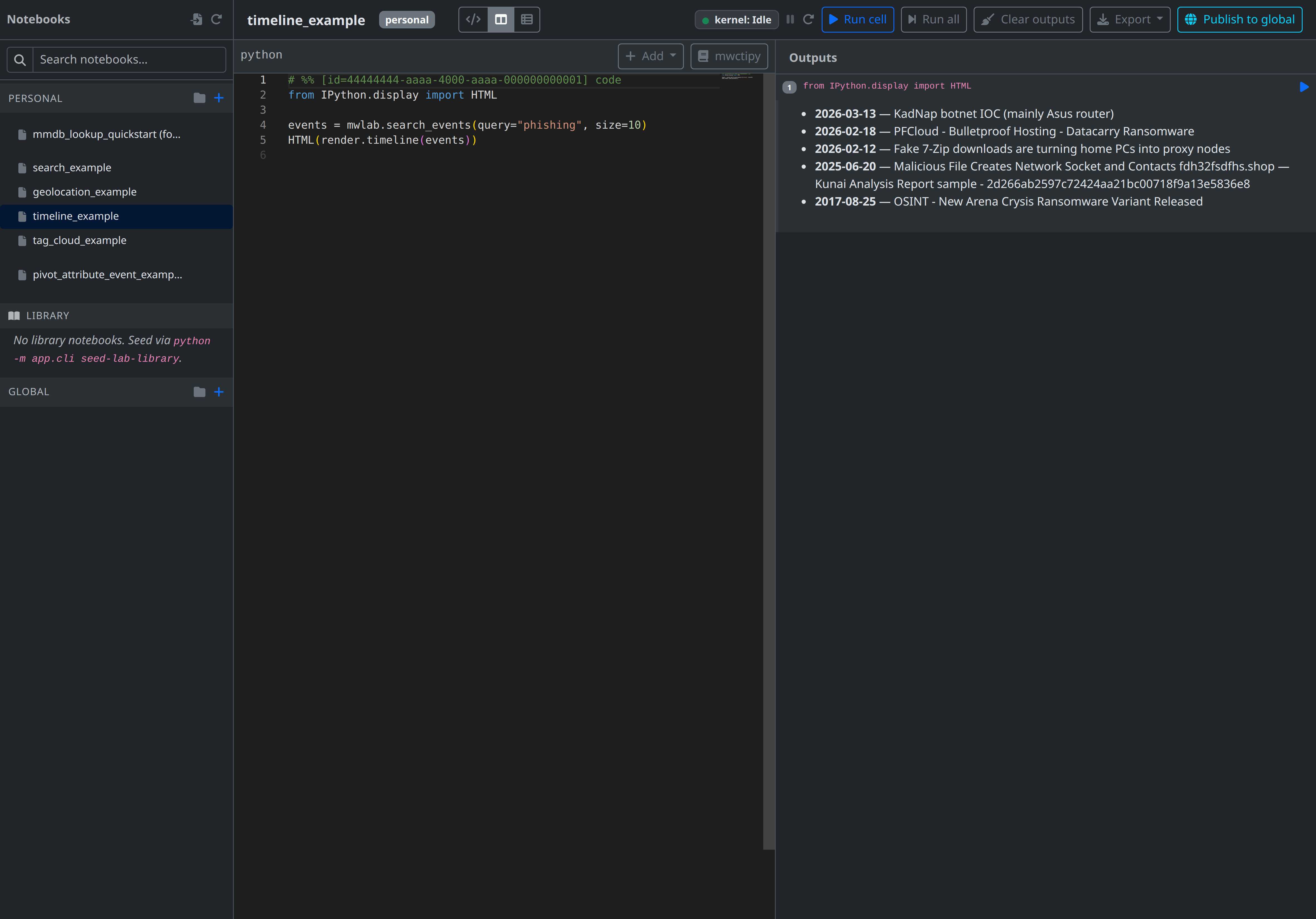
Build a timeline view
from IPython.display import HTML

events = mwlab.search_events(query="phishing", size=10)
HTML(render.timeline(events))
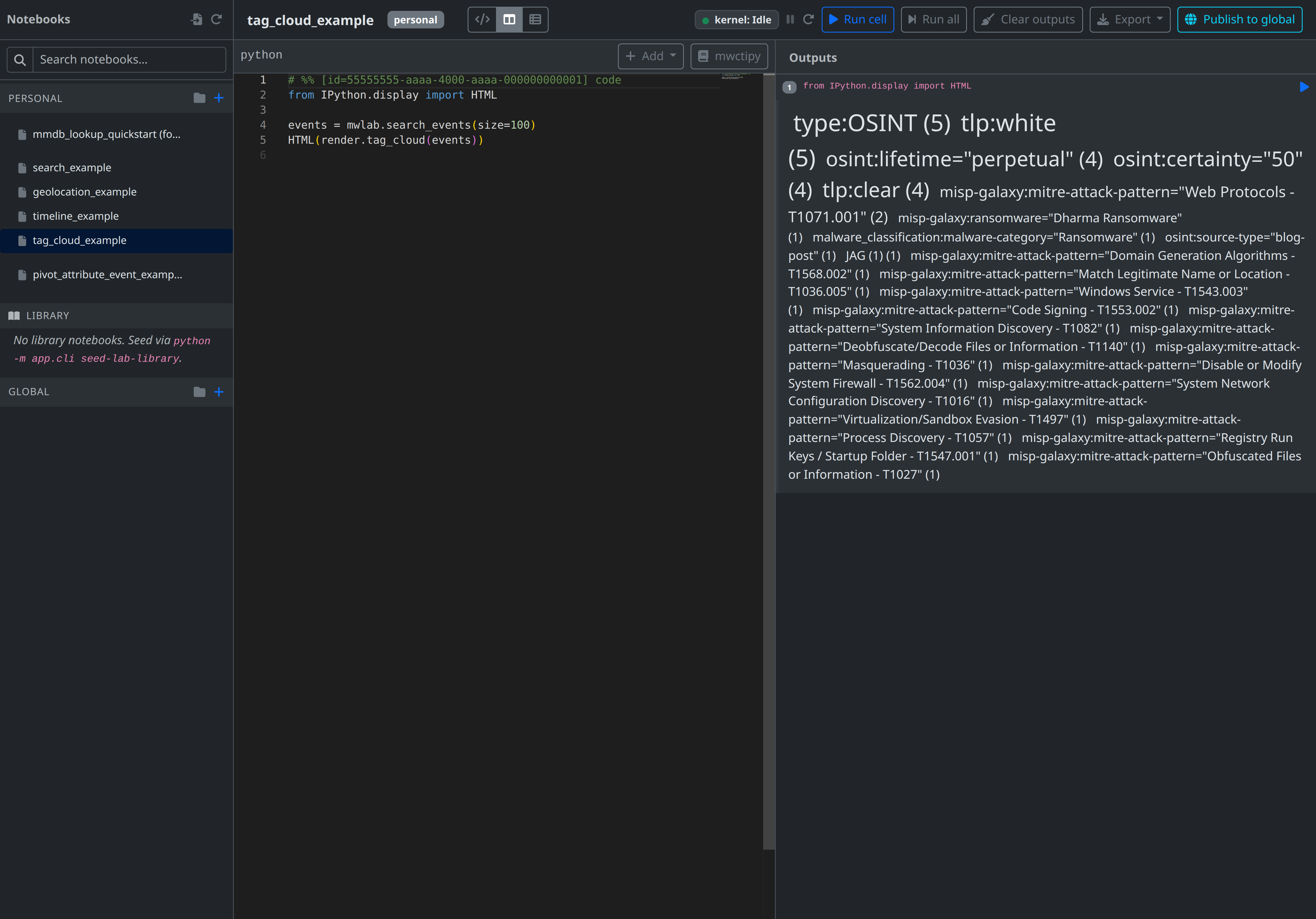
Tag cloud across recent events
from IPython.display import HTML

events = mwlab.search_events(size=100)
HTML(render.tag_cloud(events))
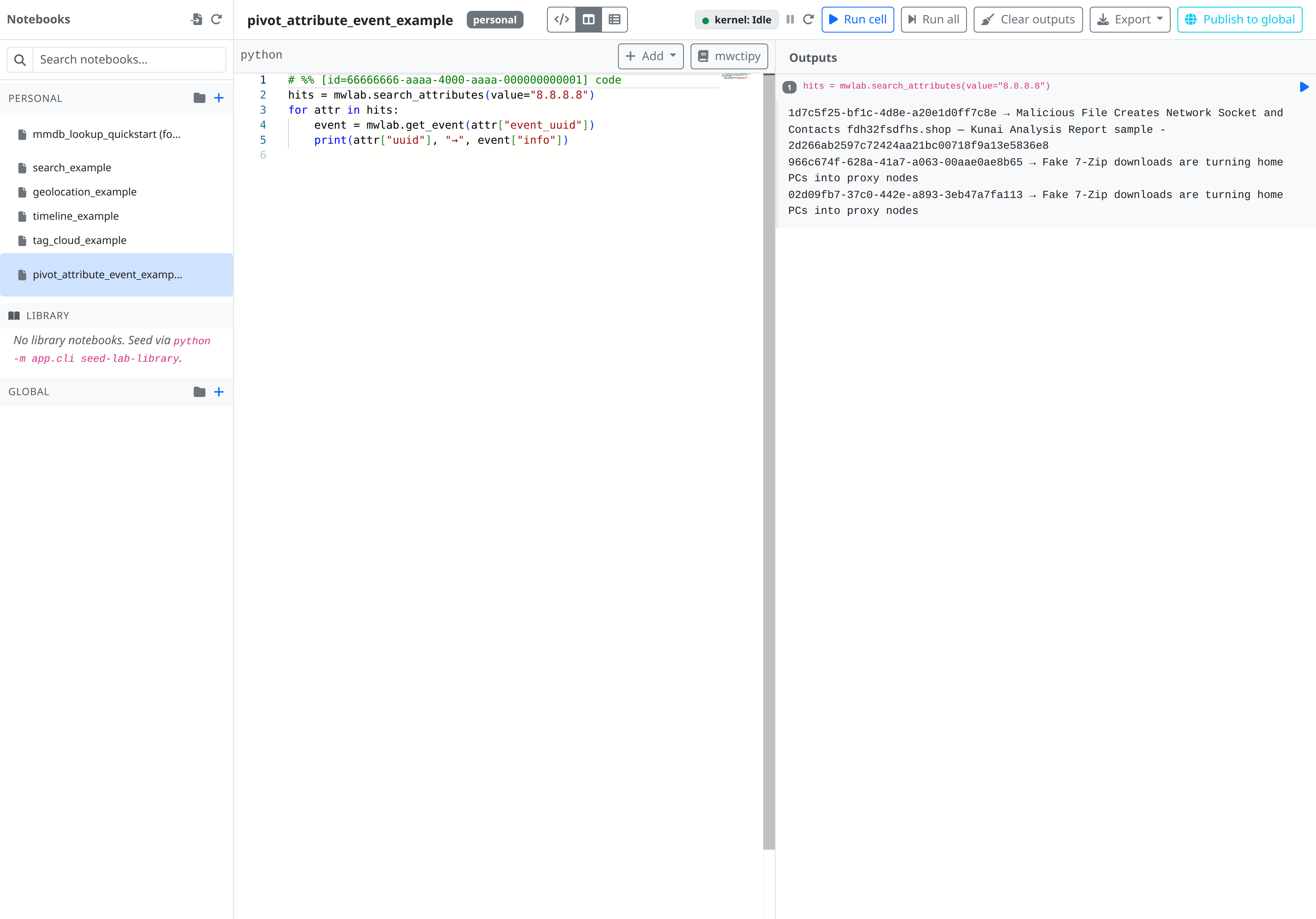
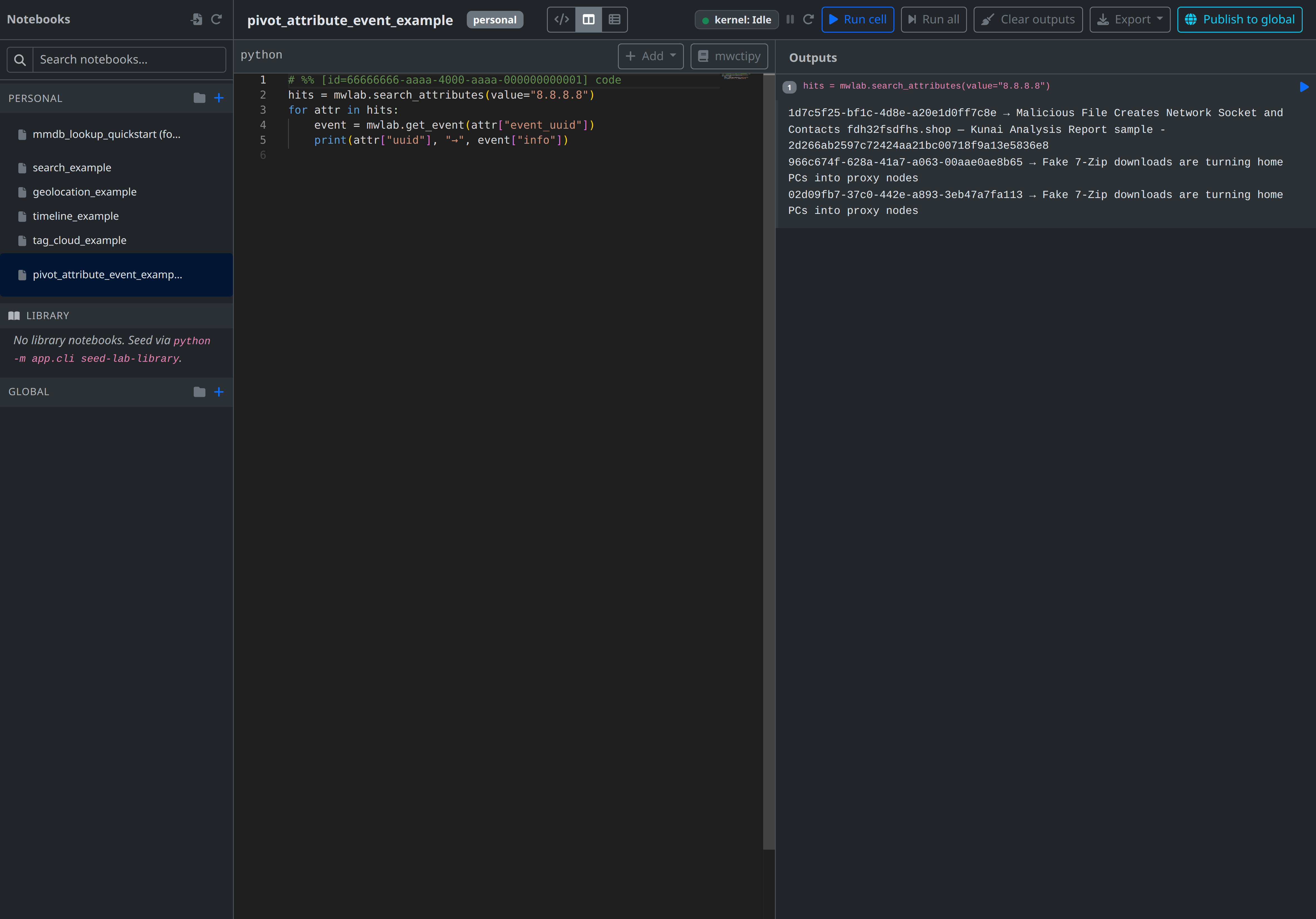
Pivot from an attribute to its event
hits = mwlab.search_attributes(value="example.com", type="domain")
for attr in hits:
    event = mwlab.get_event(attr["event_uuid"])
    print(attr["uuid"], "→", event["info"])
Installing extra Python packages
The notebook kernel runs inside the lab-worker container, whose Python environment is fixed at image build time. The dependencies in the [tool.poetry.group.lab] group of api/pyproject.toml (ipykernel, jupyter-client, pandas, plus the in-repo mwctipy SDK) are what's available out of the box.
To add another package, add it to the lab group and rebuild:
# inside api/
poetry add --group lab altair
docker compose -f docker-compose.yml -f docker-compose.dev.yml \
  --env-file=.env.dev build lab-worker
docker compose -f docker-compose.yml -f docker-compose.dev.yml \
  --env-file=.env.dev up -d lab-worker
In-notebook %pip install is technically possible (ipykernel supports it), but the install is wiped on the next kernel restart or idle eviction. Use it only for ad-hoc experiments.
Permissions
| Scope | Allows |
|---|---|
lab:read |
List / view notebooks and folders, read execution history |
lab:create |
Create notebooks and folders, fork global notebooks |
lab:update |
Edit notebooks you own, rename / move folders you own |
lab:delete |
Delete notebooks and folders you own |
lab:run |
Execute cells (any reader of a notebook can run it; each viewer gets their own kernel) |
Visibility and ownership are enforced row-by-row on top of these scopes — lab:update on a global notebook you didn't create still returns 403.
Limits
| Bound | Default | Where set |
|---|---|---|
| Kernel idle timeout | 1800s (30 min) | LAB_KERNEL_IDLE_SECONDS env var on lab-worker |
| Cell execution time | 60s (configurable per execute call) | LabExecuteRequest.timeout_seconds |
| Worker memory | 512 MB | lab-worker.mem_limit in compose |
| Worker process count | 256 | lab-worker.pids_limit in compose |
| Kernel concurrency | 8 threads | --concurrency=8 on the worker command |
Out of scope (today)
These are intentional omissions from the MVP — none of them block the analyst workflow, and each warrants its own design pass.
- Write APIs (
add_attribute,tag_event, ...). Reactor scripts already cover authored writes; notebooks stay read-only until alab:writescope is added. - Collaborative editing of global notebooks. MVP is owner-only edit; others fork.
- Per-viewer outputs on global notebooks. Non-owner outputs live only in execution rows for the session.
- Org-scoped sharing (between Personal and Global).
- Scheduled notebook runs (papermill-style). Reactor covers trigger-driven automation.
- In-cell debugger / profiler. Reactor's
pyinstrument+ flame-graph could be wired here later.